How do I reorder?

Created by Shop Suki PH, Modified on Mon, 27 Jul at 5:19 PM by Shop Suki PH


Good news you can reorder in just one click!

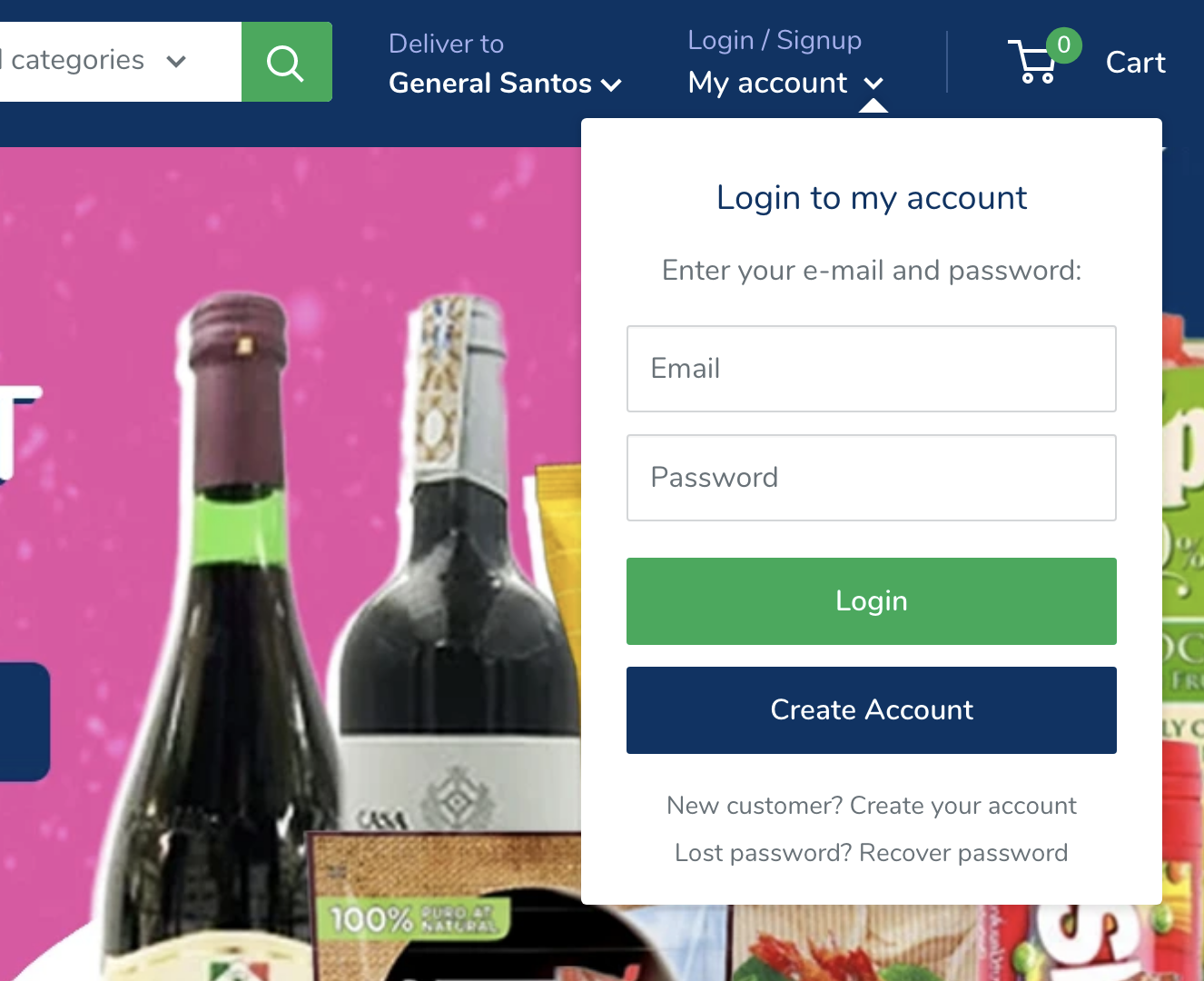
  1. Simply log into your account in the upper right corner of your screen.0enwN-xjGYwicw25ZTpPDJqFFPe03pfBsw.png?access_token=t0j5bd-yiglbqazxg-214a1cdfa2f4015df001bb409d0b389e9c8e675c

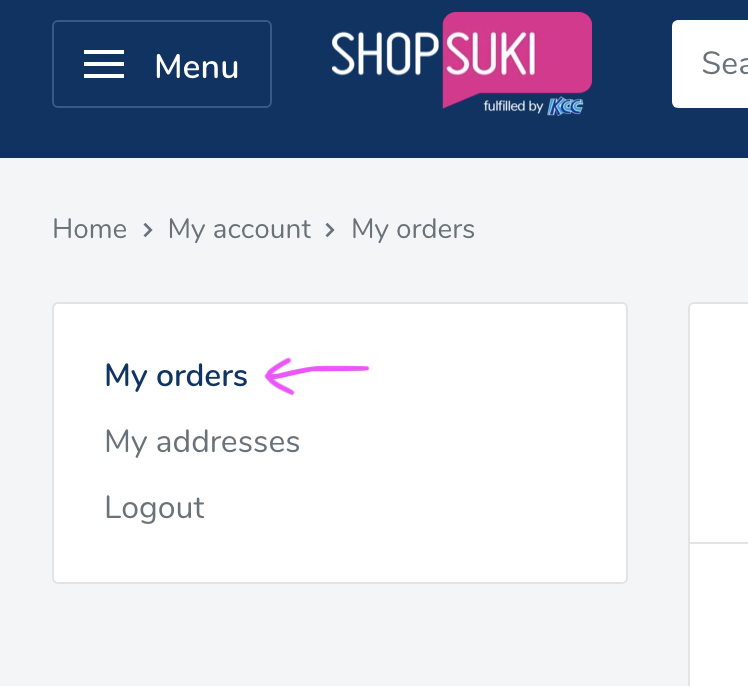
  2. Click on my ordersDXx5am23fYsZsskH3KdCScuXfJQJZZrpZg.png?access_token=t0j5bg-rabqzhcfes-7ebca4321b14ca29f58fd15bc2caa0aa62d0fda2

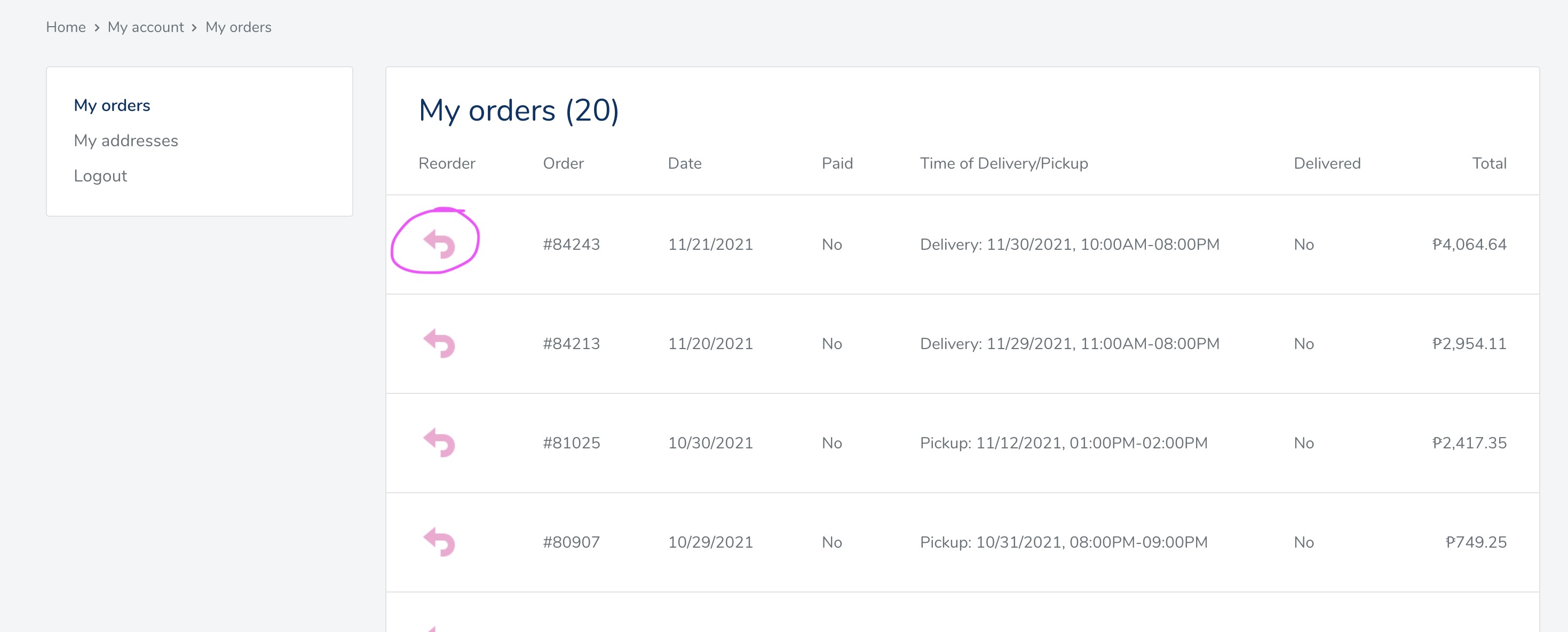
  3. Find the order you would like to reorder and click this pink arrow9FgcyVwzrR1qvirVF2BinOhNA_1hWStiFw.png?access_token=t0j5bk-srqhybortc-8253576f876ca2389af7a7cb8dceb8b4a90724f7

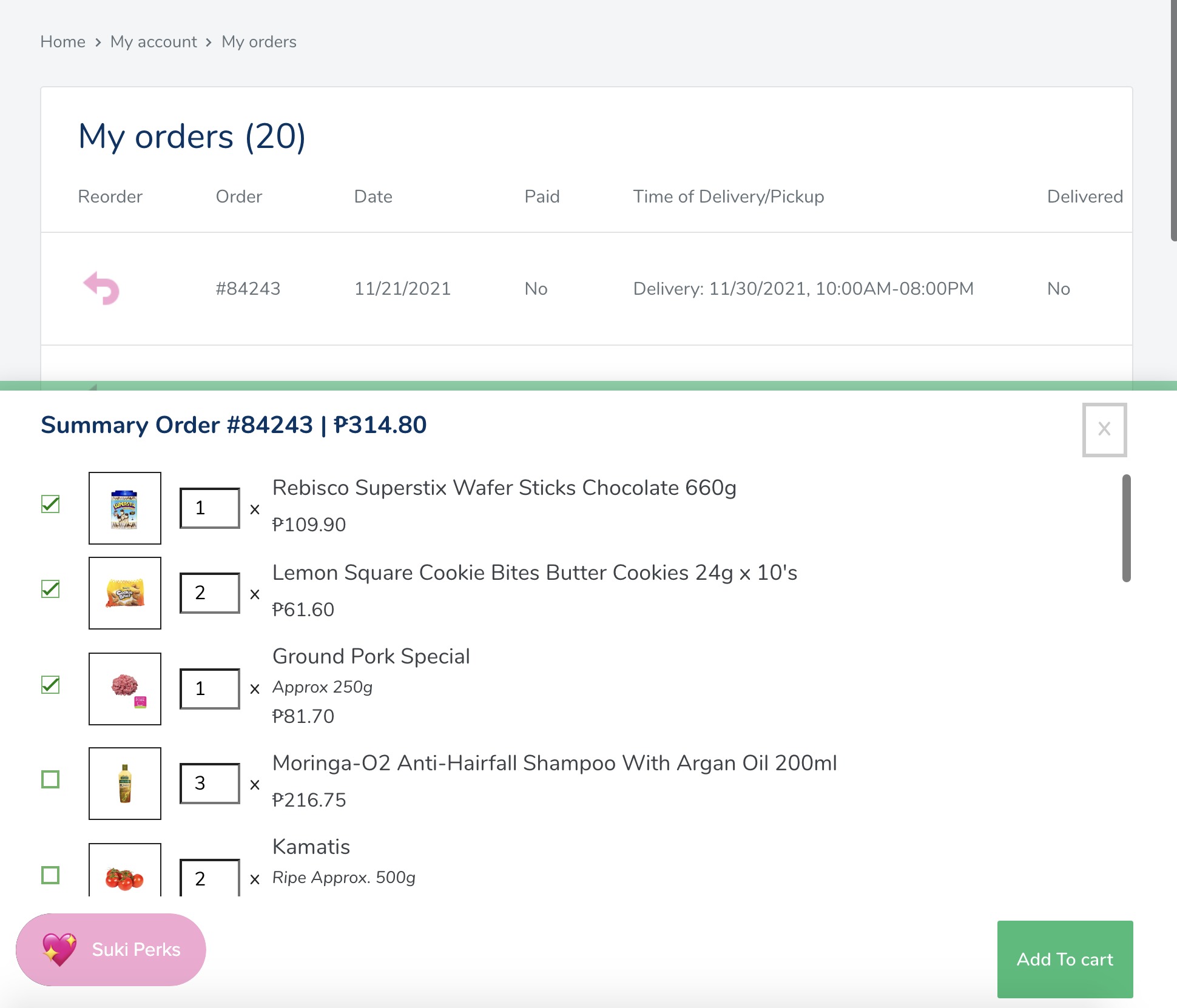
  4. Check the items you would like to order again and change the quantities as desired. Click add to cart when you are ready. 0zFCFlKZtpMoquq_oB3OzF2w722dxnb8QA.png?access_token=t0j5bq-pdkfxreffu-29d3a2b7d7b4433b2043927e0ba4b8f38f3affad

You can reorder multiple orders at once. 


Please note that availability and prices may vary. Please double check your final cart to confirm.


Was this article helpful?

That’s Great!

Thank you for your feedback

Sorry! We couldn't be helpful

Thank you for your feedback

Let us know how can we improve this article!

Select at least one of the reasons
CAPTCHA verification is required.

Feedback sent

We appreciate your effort and will try to fix the article